

Civic Hub · For cities, counties and towns
Transparency taxpayers can actually use.
Residents pay for every road, park and city building. Civic Hub shows them where that money goes, how each decision was made, and what's being built near them, in plain English, on any phone, tablet or computer. And it's one front door to everything else the city already offers, from paying a bill to applying for a job.
The demo runs on Anytown, USA, a fictional town. Every name, figure and document in it is sample data.
Works everywhere
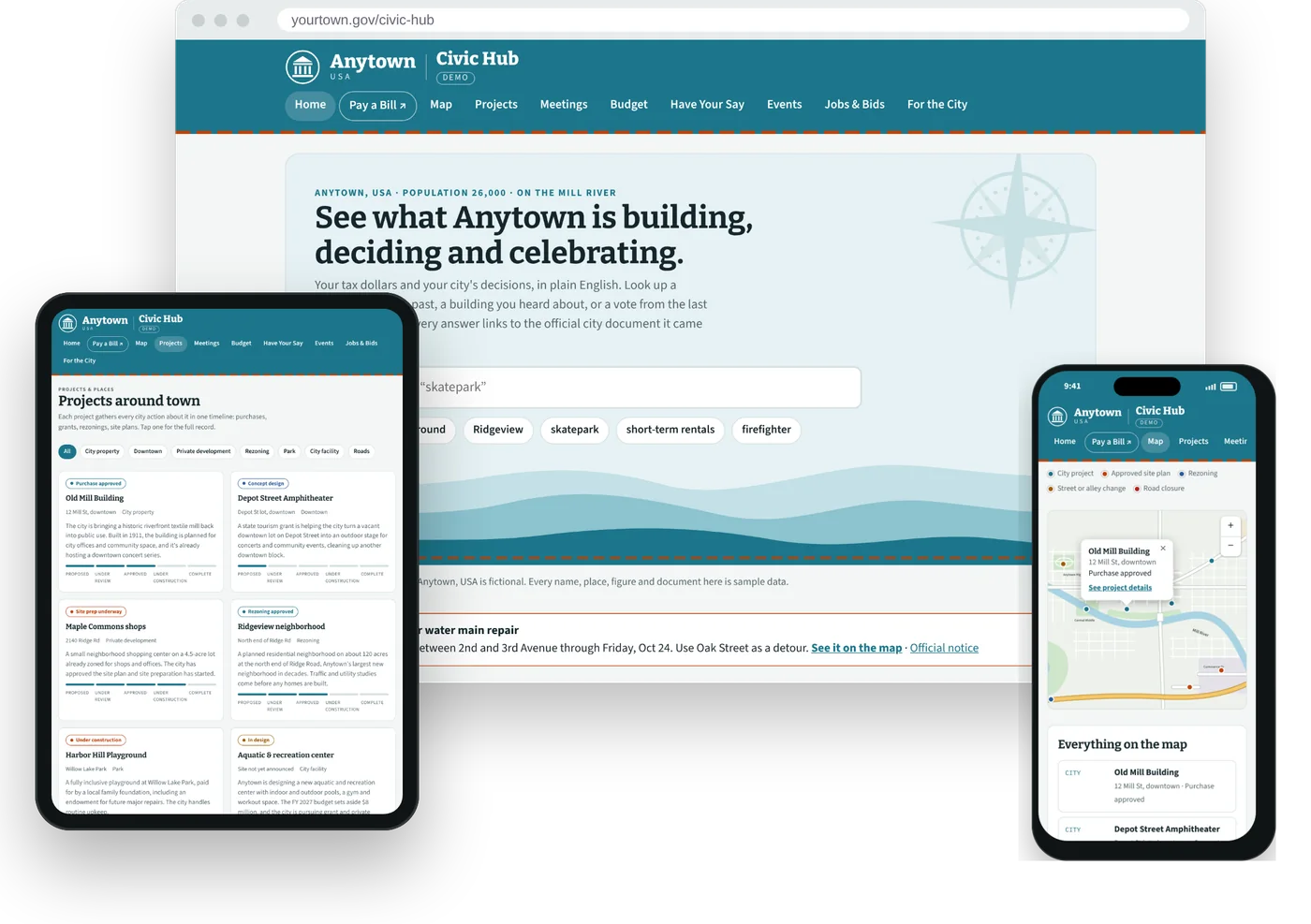
See how your city works and get things done. In one place, on any device.
In any browser
Open it on a phone, tablet or computer. Nothing to download.
Like an app
Add it to the home screen for its own icon and alerts.
No app store
Updates reach every resident instantly, with no store accounts or approvals for the city to manage.
The problem
The record is public. It just isn't usable.
Cities already publish every agenda, packet, vote and budget. But it's spread across PDFs and pages built for staff, so most taxpayers never read it.
When people can't find the official answer, they fill the gap with rumor and social media. Good projects get no credit, and staff answer the same questions over and over.
Civic Hub doesn't add new information. It takes what the city already publishes and makes it easy to find, easy to understand, and easy to check.
What taxpayers can see
A tour of the demo, screen by screen
Where the money goes
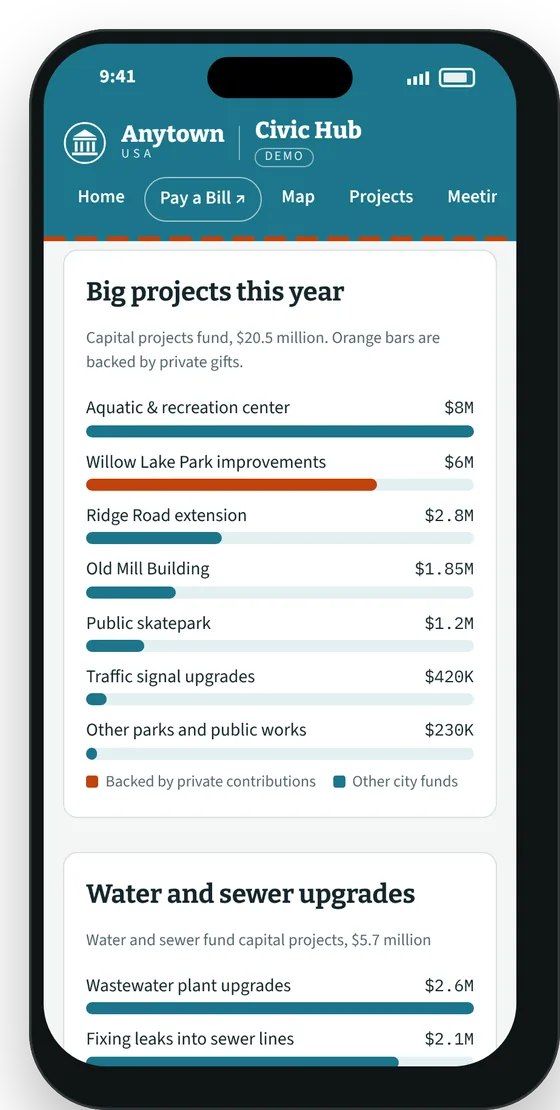
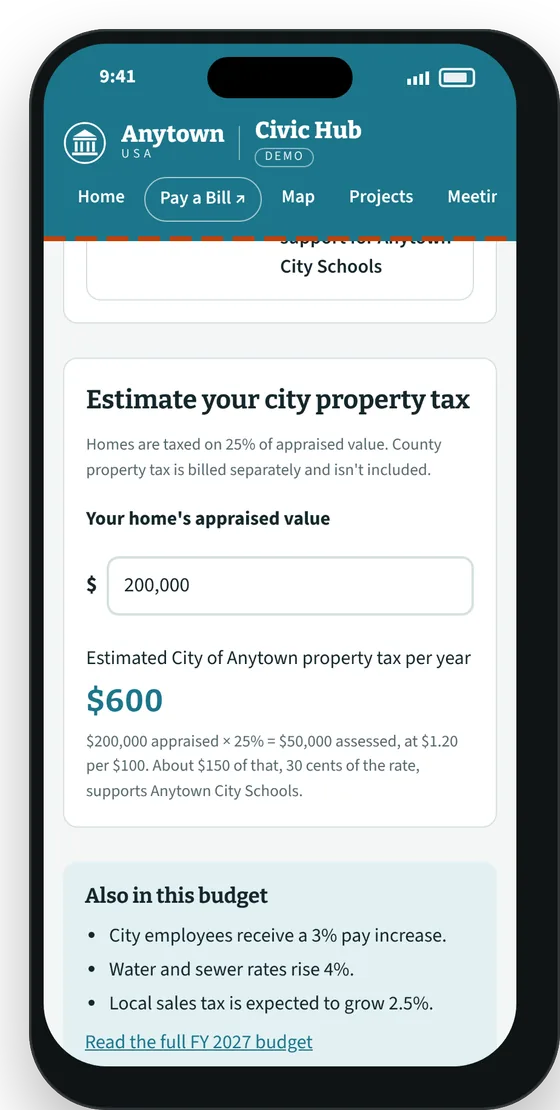
The adopted budget in plain English: the tax rate, the big projects it pays for, and what's backed by grants or private gifts. A calculator shows a homeowner what their city tax is and how much of it goes to schools.
How each decision was made
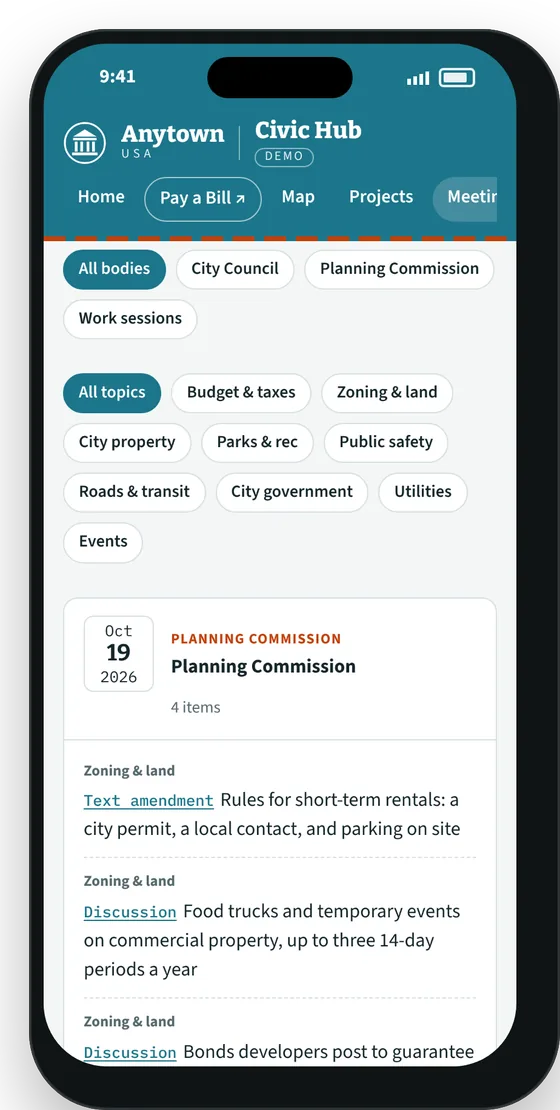
Every City Council and Planning Commission meeting, with each item summarized and tagged by topic. Residents can follow money, land or parks without reading a 40-page packet, and every item links to the official agenda.
Every project, start to finish
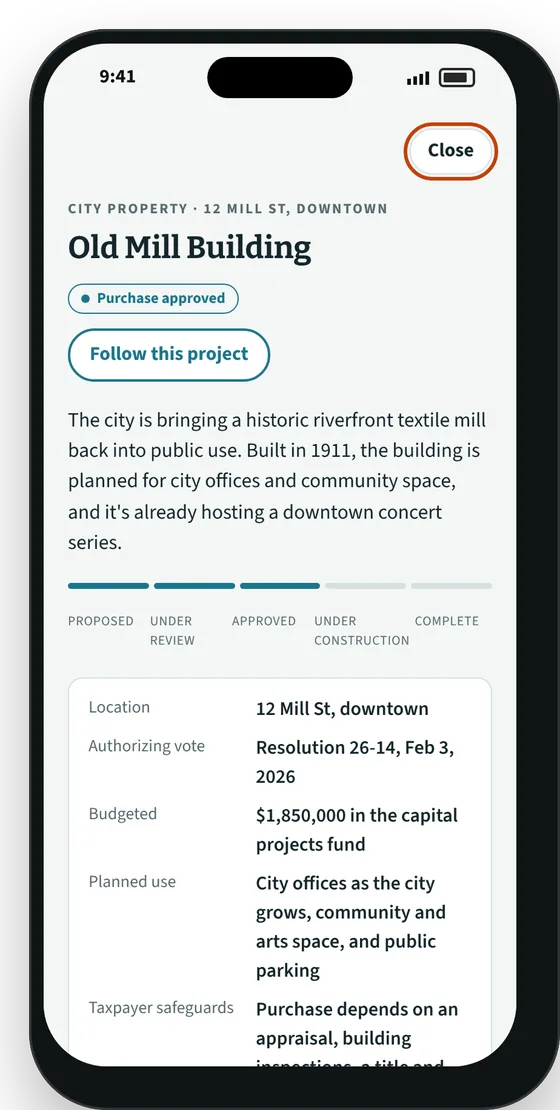
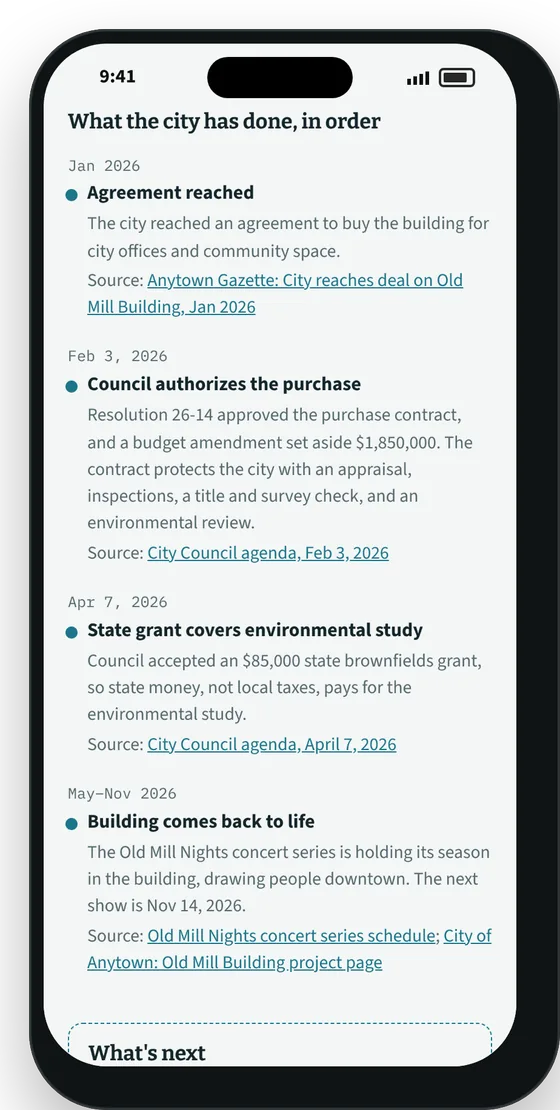
Purchases, grants, rezonings and construction in one timeline, with what it costs, who's paying, the safeguards in place and what comes next. Every step cites its source.
What's being built near me
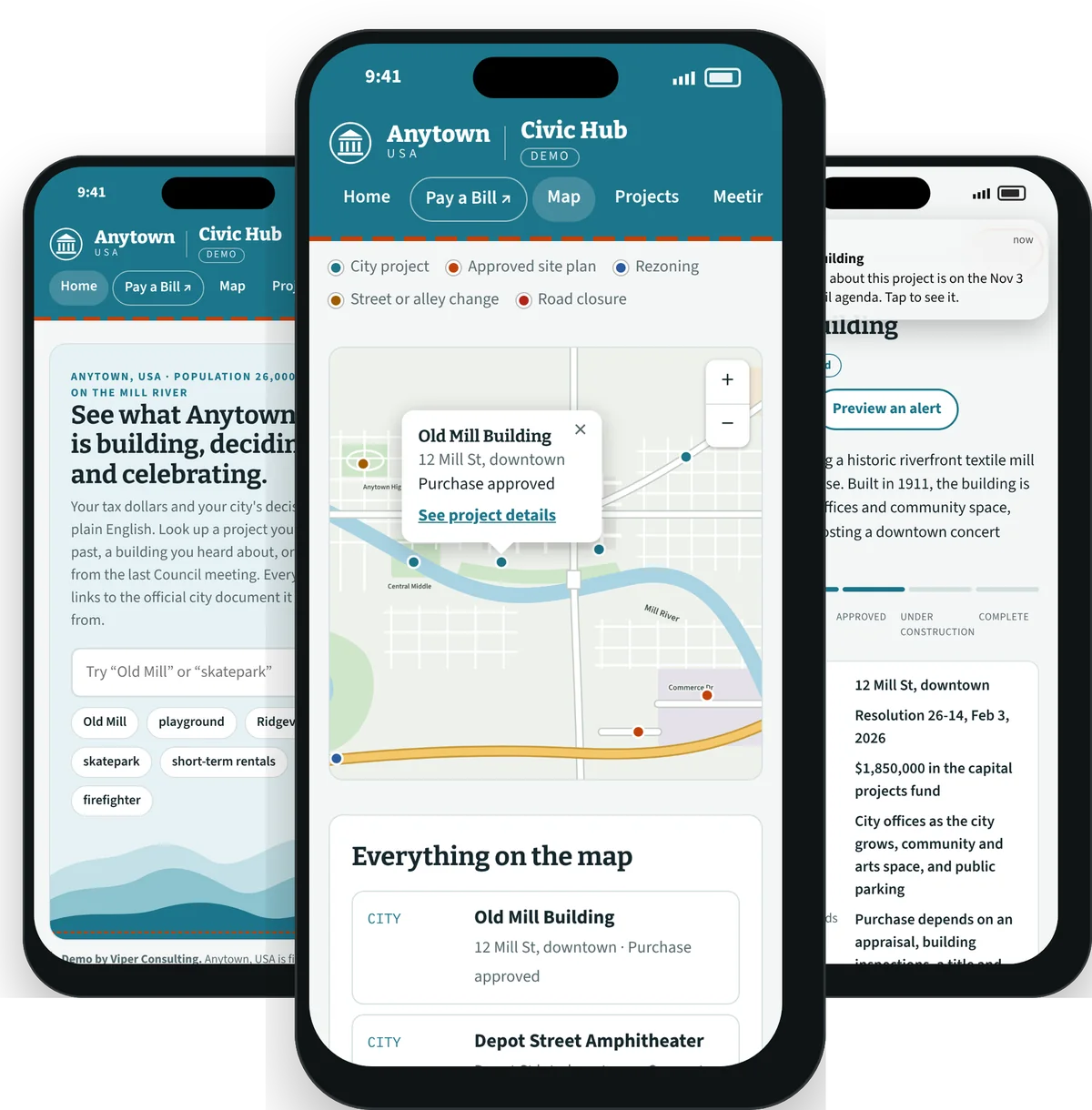
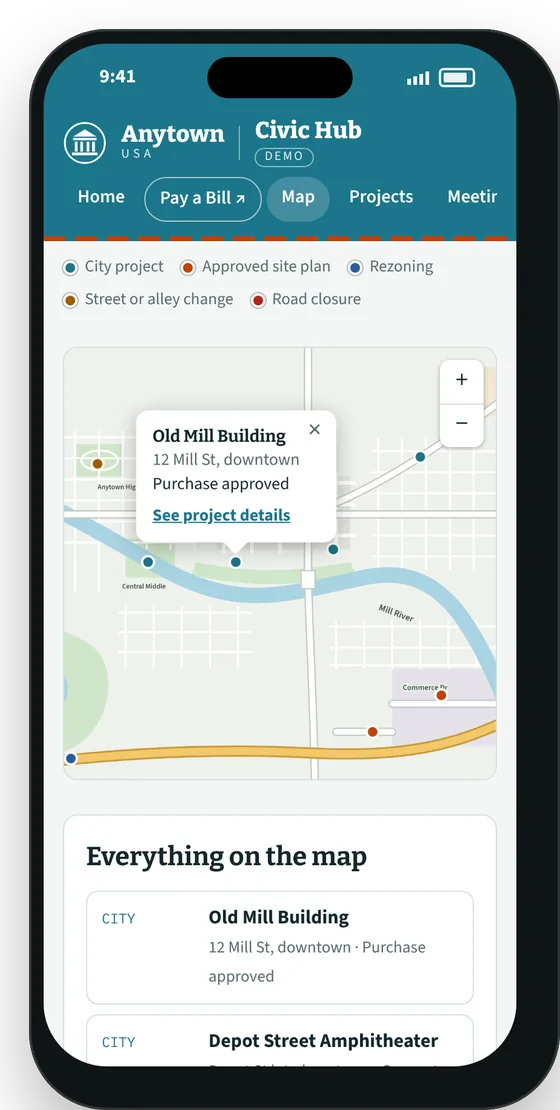
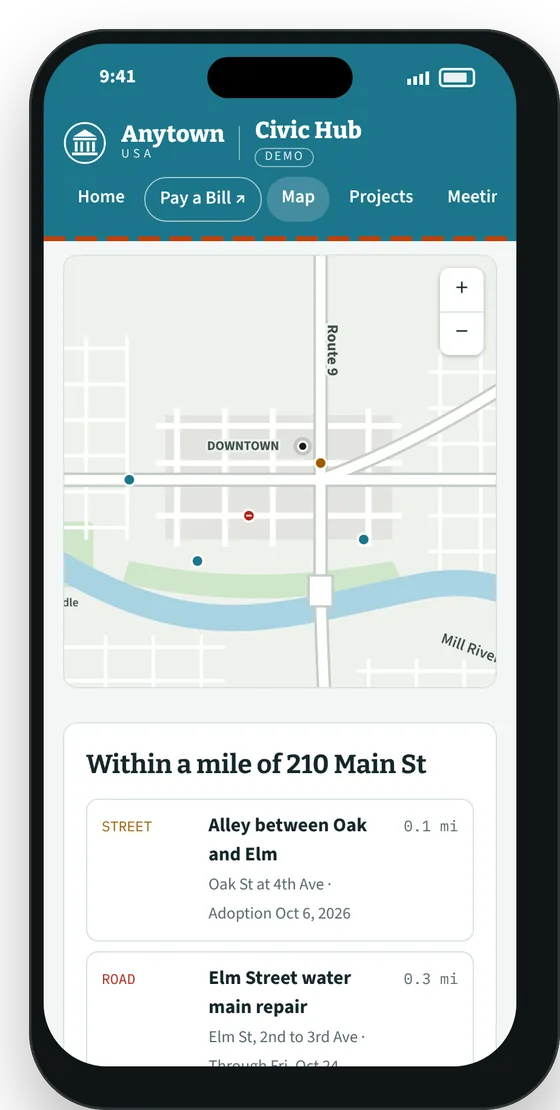
City projects, approved site plans, rezonings and road closures on one map. Residents enter an address and see everything within a mile, each with a link to the official record.
Know before it's decided
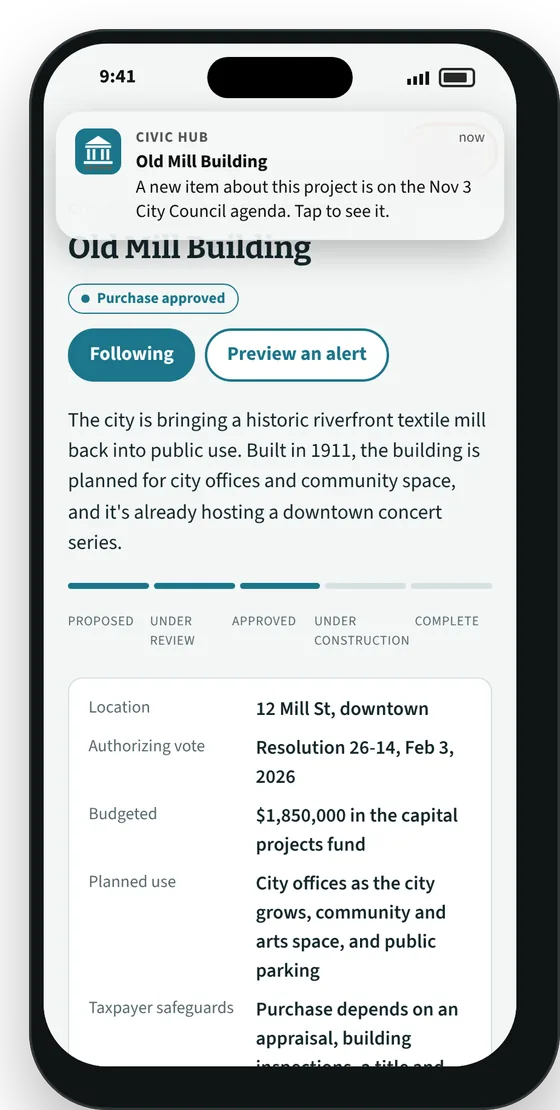
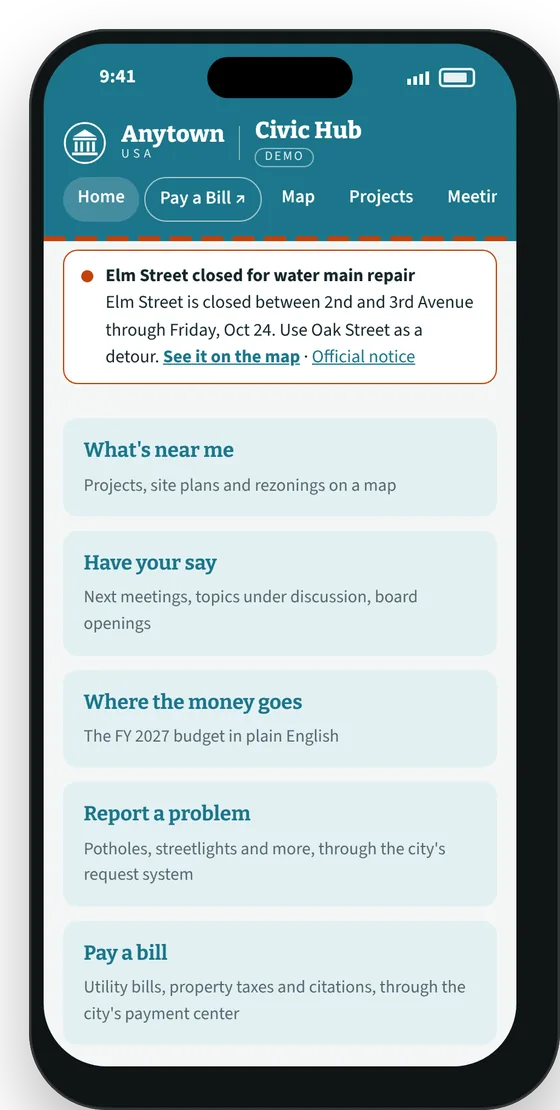
Add Civic Hub to the home screen and it works like an app: residents follow a project and get an alert when it's on an upcoming agenda, while there's still time to speak up. Road closures and boil-water notices show up as soon as the city posts them.
When and how to speak up
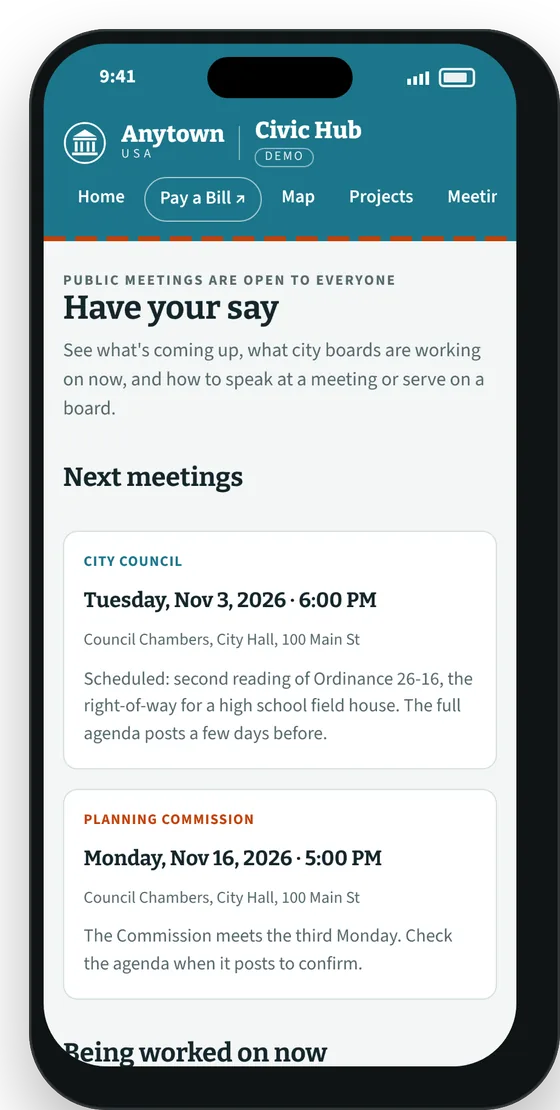
The next meetings, the topics boards are working on now, how to speak at a meeting, and which boards have openings. Transparency works best when residents know how to take part.
One front door to city services
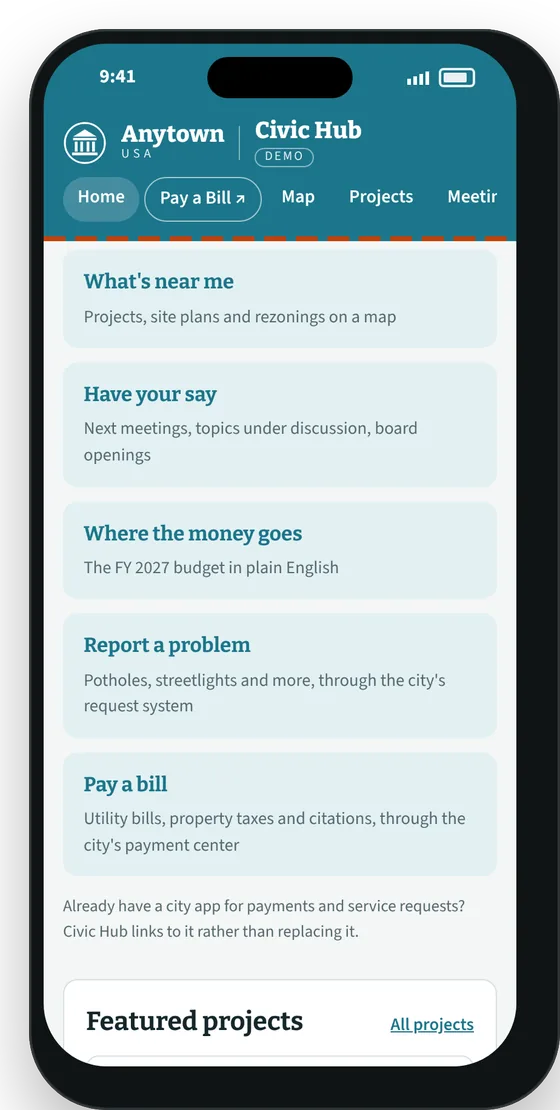
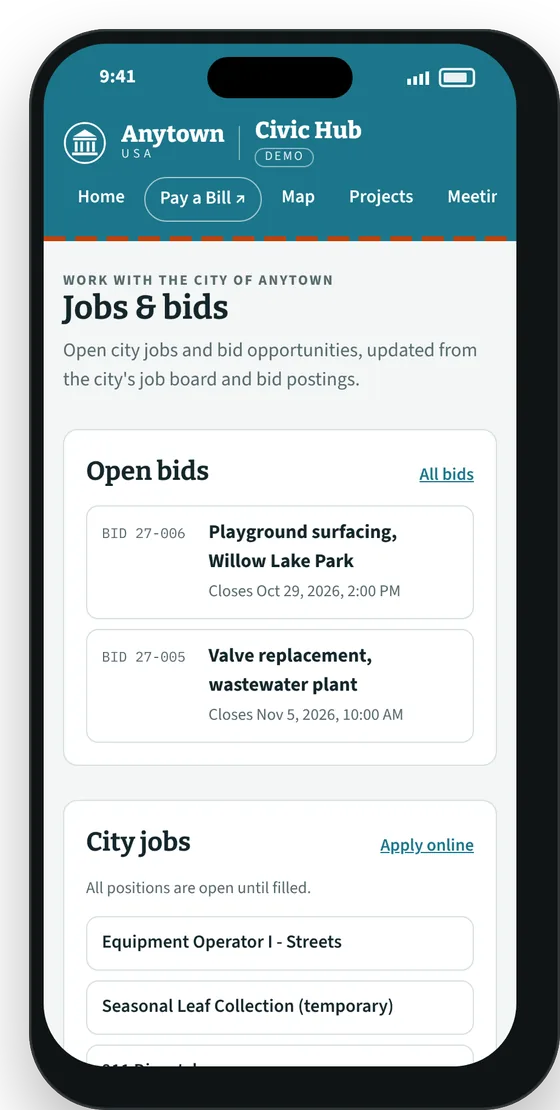
Residents don't have to know which city website does what. Civic Hub puts direct links to the services the city already runs in one place: pay a utility bill or property tax, report a pothole, apply for a city job, see open bids, sign up for recreation programs, or check the event calendar. Each link goes straight to the city's own system, so nothing changes behind the scenes.
Choose your home screen
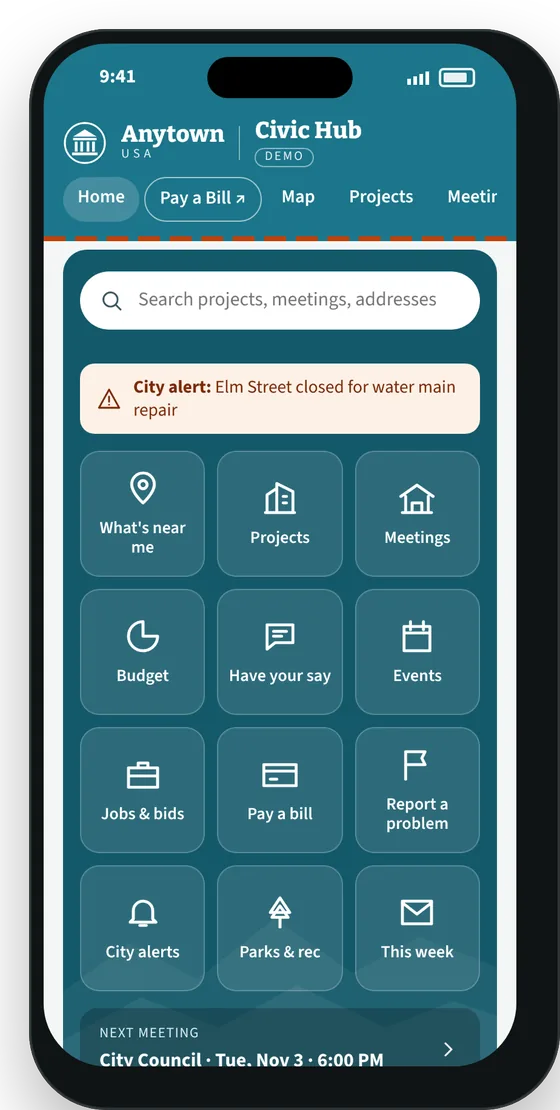
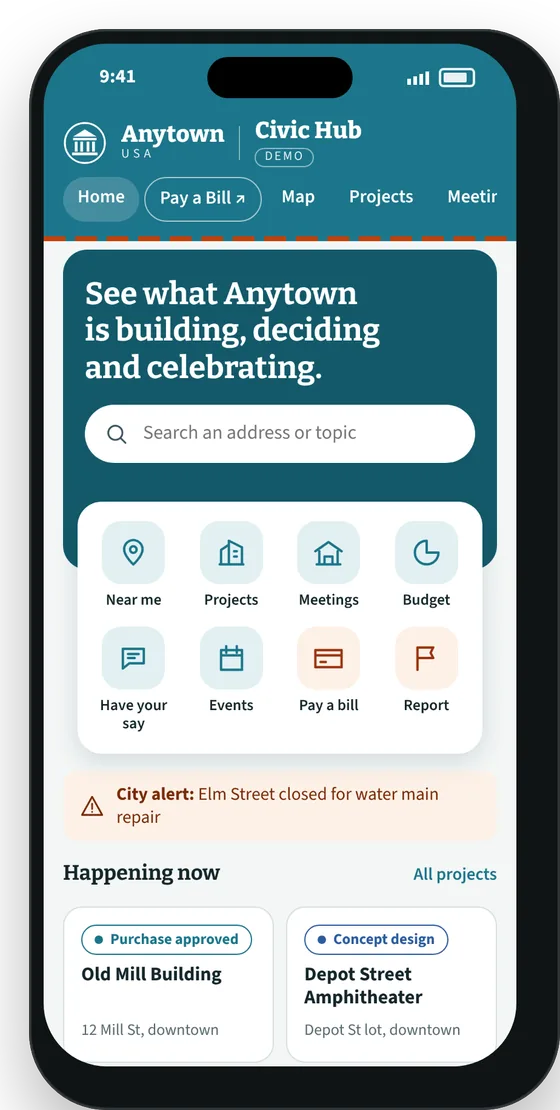
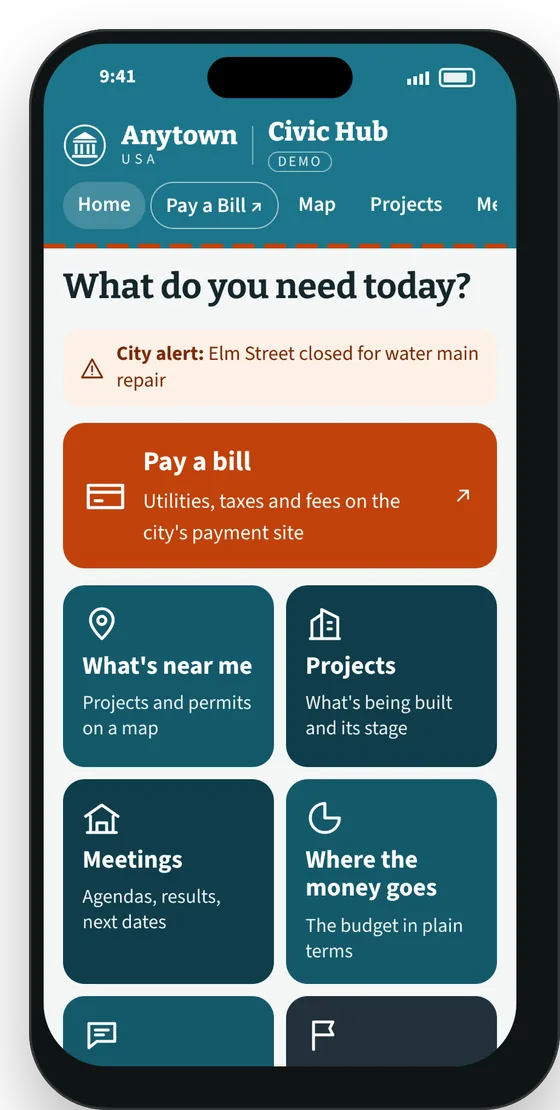
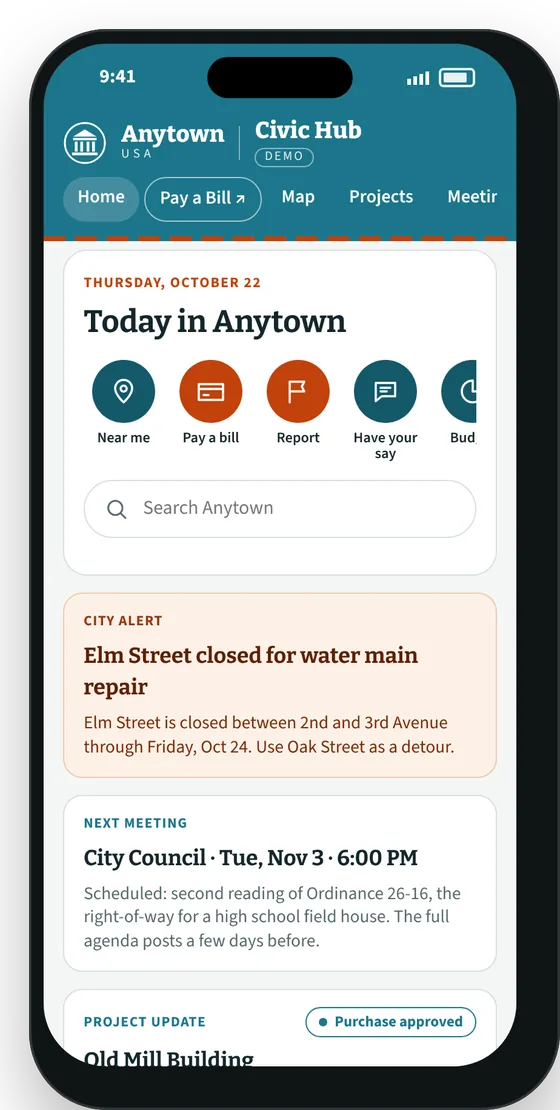
Residents pick the home screen that works for them: a button grid like a city app, a search-first banner, a daily "Today" feed, or Easy View, with large buttons, plain descriptions and bigger text throughout. Easy View is built for older residents and anyone who finds small screens hard to read. The city sets the default, and every layout reaches the same pages.
What the city gets
Trust built on the record
Answers before rumors
When a project starts or a purchase is in the news, there's already a clear page explaining what was decided and why.
Projects get credit
Parks, roads and downtown investments are shown from the first vote to the ribbon cutting.
One link to share
Staff, council members and the local paper can point people to a single page instead of a packet.
Works with what you already have
The payment center, request system, job board and city app stay exactly as they are. Civic Hub sends residents to them instead of replacing them.
A read on what residents want to know
A regular report of what people searched for shows what the community is asking about.
How it works
Built from what the city already publishes
- 01
Collect
New agendas, minutes, budget documents and calendar entries are picked up as the city posts them.
- 02
Explain
Each item gets a plain-English summary, a topic and a link to its project or address.
- 03
Review
City staff approve summaries before they go live, so the city stays in control of what's said.
- 04
Keep current
Project pages update with each vote, permit or milestone. I keep it running on a monthly arrangement.
Ground rules. Every fact links to the official record. The city owns the content, and the site can live on a city web address. It links to the city's existing payment, request and job systems rather than replacing them, and it needs nothing from city IT.
Want to see it with your town's records?
Tell me which city, county or organization you're with. I'll walk you through the demo and what a version built from your own public records would look like.